
AI shines on the happy path and trust is earned on the edge cases. Human-in-the-Loop (HITL) is how you keep AI honest. Humans arbitrate ambiguity, absorb asymmetric risk and turn every override into learning. This particular post is a practical blueprint you can drop into real projects. I'll start with when HITL makes sense, weave through patterns and metrics, call out the common failure modes so you can sidestep them and then show a thin slice of implementation and a short playbook you can ship this week.
If you only take one thing away: use HITL whenever the cost of a wrong autonomous action is higher than the cost of a quick review. Route by confidence and risk and approve when confidence is high, reject when it's very low and send the gray band to review. Always capture (read: observe) the reviewer's rationale on overrides because that is your training gold. Measure override rate, decision latency, calibration and cost per decision. Start in shadow mode, learn how your model behaves, calibrate thresholds and then expand automation deliberately.
Why do we need it?
Models live in a probabilistic world. They are not simply right or wrong; they are either calibrated or not. HITL turns uncertainty into safe and explainable decisions. In most business processes, risk is not symmetrical. A false approval can cost much more than a false rejection, which is why humans should handle the riskiest cases. Many domains also require governance, audit and explainability, so immutable trails are essential. Every human decision is also a labeled data point and once you close that loop, the system starts improving on its own.
If you want patterns that work in practice, begin with confidence bands. Approve if the probability is above an upper threshold, reject if it falls below a lower on, and send the middle band to review. For high-value decisions, add a two-step process where one reviewer proposes and another confirms. Start in shadow mode, let the AI make silent predictions and compare them to human decisions to see where it disagrees. Design the interface to explain, not obscure. Show clear signals such as "vendor mismatch" or "amount outlier" instead of a single opaque score. Use active learning so the system prioritises uncertain or disputed items for labeling.
Ship the loop, then let the loop ship better decisions.
Measurement is what keeps the system accountable. Override rate shows where the model and humans disagree and how those disagreements trend over time. Decision latency tracks how long each item takes from arrival to resolution and should be measured separately for automated and manual queues. Cost per decision is easy to calculate, just multiply human minutes by the loaded rate and add infrastructure costs. Split this by queue type so you can see where automation pays off. Also measure downstream error cost, both in money and compliance impact, and feed those results back into your L (lower) and U (upper) thresholds.
Failure models (and how to avoid them)
There are a few failure modes that show up repeatedly.
- Unbounded queues: To mitigate that, add SLAs, prioritisation and auto-escalation.
- Reviewer fatigue: For this, just minimise clicks, highlight evidence and batch similar items.
- Feedback noise: You may require rationale on overrides; add reviewer quality monitoring.
- Non-actionable explanations: Prefer concrete features (e.g., “vendor mismatch”) over vague scores.
- No flywheel: Schedule retraining, alert on drift and run periodic calibration.
Invoice Approvals
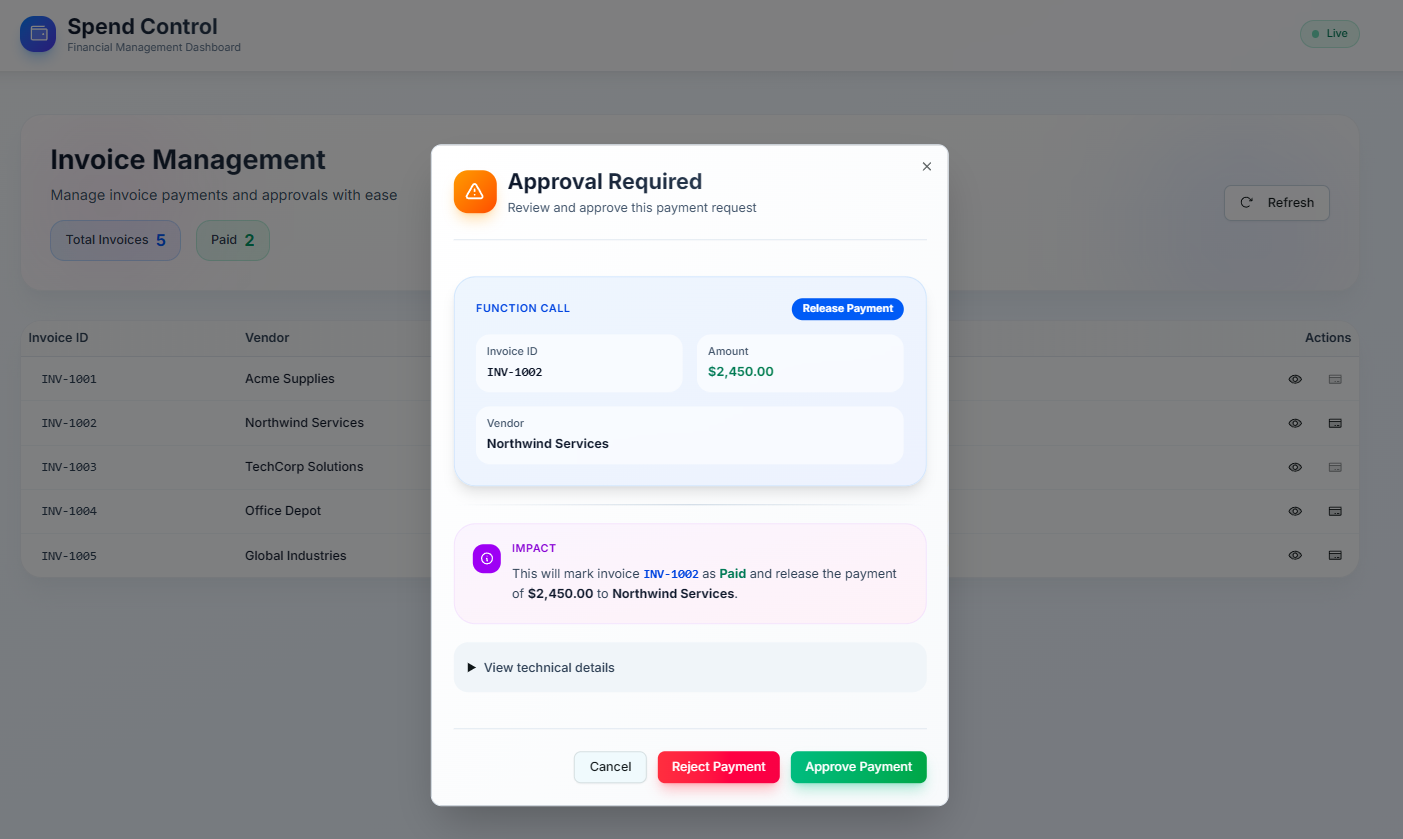
Let’s make it concrete with invoice approvals using Microsoft Agent Framework. Imagine an AI that classifies invoices as approve, reject or review with a confidence score. We add a Review queue in the UI, wire Approve/Reject actions that capture a short rationale and tags, expose a feedback endpoint, and store each decision durably. If you want somewhere to try this out, my repo includes a full working demo that you can extend as well.
Below is the loop architecture at a glance, how items flow from ingestion through triage to either automation or human review, and then back into the learning store.
flowchart LR
  A[Item Ingestion] --> B[Model Inference]
  B --> C{Confidence & Rules}
  C -- "High Confidence" --> D[Auto-Approve]
  C -- "Low Confidence" --> E[Auto-Reject]
  C -- "Gray Band" --> F[Human Review UI]
  F --> G[Decision Capture + Rationale]
  D --> H[Action Execution]
  E --> H
  G --> H
  H --> I[Feedback Store - Immutable]
  I --> J[Calibration/Training]
  J -.->|Model Update| B
On the frontend, capture feedback with a thin function you can call from Approve and Reject buttons in your review component.
// Domain: invoice review queue
type ReviewFeedback = {
  invoiceId: string;
  modelDecision: "approve" | "reject" | "review";
  modelConfidence: number; // 0..1
  humanDecision: "approve" | "reject";
  rationale: string;
  tags?: string[]; // e.g., ["vendor-mismatch", "amount-outlier"]
  occurredAt: string; // ISO timestamp
};

async function submitFeedback(payload: ReviewFeedback) {
  const res = await fetch("/api/feedback", {
    method: "POST",
    headers: { "Content-Type": "application/json" },
    body: JSON.stringify(payload),
  });
  if (!res.ok) throw new Error(`Feedback failed: ${res.status}`);
}

export async function onApprove(
  invoice: {
    id: string;
    modelDecision: "approve" | "reject" | "review";
    modelConfidence: number;
  },
  rationale: string,
  tags: string[] = []
) {
  await submitFeedback({
    invoiceId: invoice.id,
    modelDecision: invoice.modelDecision,
    modelConfidence: invoice.modelConfidence,
    humanDecision: "approve",
    rationale,
    tags,
    occurredAt: new Date().toISOString(),
  });
}

export async function onReject(
  invoice: {
    id: string;
    modelDecision: "approve" | "reject" | "review";
    modelConfidence: number;
  },
  rationale: string,
  tags: string[] = []
) {
  await submitFeedback({
    invoiceId: invoice.id,
    modelDecision: invoice.modelDecision,
    modelConfidence: invoice.modelConfidence,
    humanDecision: "reject",
    rationale,
    tags,
    occurredAt: new Date().toISOString(),
  });
}
For the review experience, offer quick-select rationales as chips but allow free text. Show the model’s confidence, a couple of top signals and a compact diff of vendor, amount, dates, purchase order and terms. Make it keyboard-first and keep the context narrow. It's about evidence, not internals.
On the backend, append immutable feedback records to a durable store. For a demo, newline-delimited JSON is fine; in production, prefer a database that supports append-only or versioned semantics.
using System.Text.Json;
using Microsoft.AspNetCore.Builder;
using Microsoft.AspNetCore.Http;
using Microsoft.Extensions.Logging;

var builder = WebApplication.CreateBuilder(args);
var app = builder.Build();

app.MapPost("/api/feedback", async (HttpContext ctx, ILoggerFactory lf) =>
{
    var logger = lf.CreateLogger("Feedback");
    var feedback = await ctx.Request.ReadFromJsonAsync<ReviewFeedback>();
    if (feedback is null || string.IsNullOrWhiteSpace(feedback.InvoiceId))
        return Results.BadRequest("Invalid feedback");

    // Persist: newline-delimited JSON for demo
    var record = JsonSerializer.Serialize(feedback);
    var path = Path.Combine(AppContext.BaseDirectory, "feedback.ndjson");
    await File.AppendAllTextAsync(path, record + Environment.NewLine);

    logger.LogInformation("Feedback saved for {InvoiceId}", feedback.InvoiceId);
    return Results.Accepted($"/api/feedback/{feedback.InvoiceId}");
});

app.Run();

public record ReviewFeedback(
    string InvoiceId,
    string ModelDecision,
    double ModelConfidence,
    string HumanDecision,
    string Rationale,
    string[]? Tags,
    DateTime OccurredAt
);
For the data model, keep a tight core such as invoiceId, modelDecision, modelConfidence, humanDecision, rationale, and occurredAt. Grow it with tags for analytics, reviewerId and correlationId for traceability and model or prompt version for reproducibility.
Later, join to ground-truth outcomes (like whether the invoice was ultimately paid) so you can evaluate and retrain.
Governance and audit are meant to be boring and that is exactly the point. Always use dual control for large payouts or sensitive actions. Keep immutable logs using hash-chaining or append-only storage so your audit trail cannot be rewritten. Regularly sample and quality-check past decisions and make sure the system fails closed if queues go over SLA or key signals disappear.
Operationally, start simple and safe. Only auto-approve when confidence is high then gradually expand as calibration improves. Set clear SLAs, for example 95 percent of reviews completed within two business hours and raise alerts when the backlog starts to grow. Track reviewer quality by looking at agreement rates, completeness of rationale, and turnaround time. Watch for drift by checking if override rates rise or feature distributions change. Keep a steady learning rhythm with weekly calibration, scheduled retraining, and A/B tests of new prompts or models running quietly in shadow mode.
Calibration deserves its own cheat sheet. Build reliability diagrams for each segment such as vendor, amount range, or geography. Track the Brier score and Expected Calibration Error, since lower is better. If the model seems overconfident, tighten the L and U thresholds or try recalibration with Platt scaling or isotonic regression. Use separate thresholds for each segment when risk levels differ instead of relying on one global cut.
Here’s a compact view of confidence-band routing you can share with stakeholders.
flowchart TB
  P((p = predicted probability))
  L[[Lower threshold L]]
  U[[Upper threshold U]]
  P --> J{Compare}
  J -- p < L --> R[Reject]
  J -- L ≤ p ≤ U --> V[Human Review]
  J -- p > U --> A[Approve]
if p < L then reject; if p > U then approve; otherwise send to review. Tune L and U by segment to match risk.In other words, when in doubt, send it to review. Default to review when confidence is low or when the situation feels new. Put a cap on auto-approvals per vendor or per day until the system earns your trust and never expand automation quietly. Every change should have a clear calibration sign-off.

Human in the loop isn’t a step back from automation. It’s the mechanism that lets you automate safely, learn continuously, and scale with confidence. Ship the loop, then let the loop ship better decisions.
Until next time.