
A couple of years ago I boarded an eight-and-a-half-hour flight with my colleagues, thinking I'd catch up on some work. The flight had no Wi-Fi. What I did have was Visual Studio, LM Studio and a laptop, and that got me building a local copilot with Phi-3 and Semantic Kernel. This time I wanted to see how much I could do with the other computer I usually take on a flight. The one in my pocket.
At Ignite in November 2025, Microsoft announced Foundry Local for Android. I could write an Android app in Kotlin and have the phone itself generate a reply or transcribe speech. Android support was in private preview then, however, I had the chance to play with the SDK and was able to contribute my bits to the team.
In September 2026, Microsoft shipped v0.1.6, the first public release of Foundry Local for Android. That's when I decided to share Foundry Local Lab, the Jetpack Compose app I use to try models on my Samsung Galaxy S24. If you're picking up the SDK, you can bring a prompt or recording from your own app and try it with a couple of models before writing any UI.
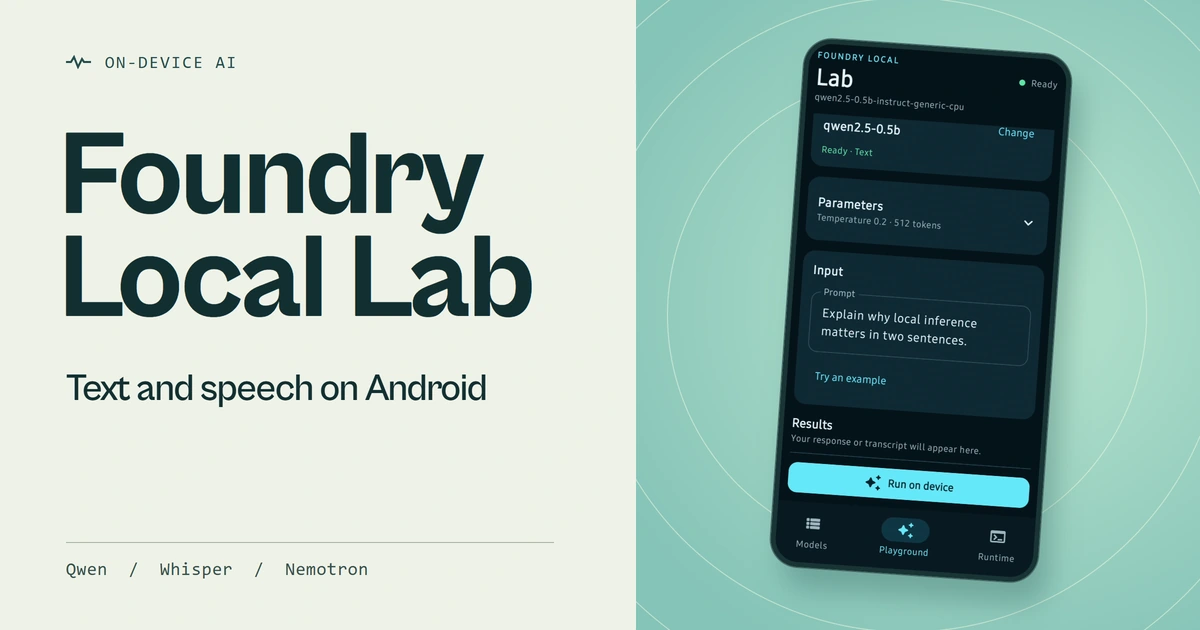
The Lab running on my Galaxy S24. Watch the Short on YouTube.
What does Foundry Local for Android SDK offer?
On my device, the same Kotlin API lets me ask Qwen a question, give Whisper an audio file or speak into the microphone with Nemotron listening. In each case I start with FoundryLocalManager. Its model catalogue tells me what's available for the device. I look up the model by its alias, download it if needed and load it into memory.
What I can do next depends on the model. With a chat model, I can use a ChatClient to get a complete reply or collect a Kotlin Flow and display the text as it arrives. With a speech model, I use an AudioClient for file or live transcription, depending on which input the model supports. In both cases the runtime processes the input on the handset, so I can get a reply or transcript without sending the prompt or audio to a cloud service.
How does the model run?
The Android SDK offers two ways to run inference. In embedded mode, you package the runtime in your own app. Whereas, inter-process communication (IPC) mode lets you keep the inference engine out of the APK. Right now, there are two apps on my phone amongst which Foundry Lab is the one. The Foundry Local service app (supplied by Microsoft) is the one that loads the model and runs it. When I tap Run on device, the prompt crosses a process boundary on my phone. There's no model endpoint to provision or API key to put in the app.
However, you do need internet access to browse the live catalogue and download the weights. In Models, the Qwen variant on my S24 showed an 822 MB download, which is a good reason to do that part before boarding! Downloading puts the model in the cache. Loading makes it available to take a request. The Lab keeps those as separate actions, so you can keep several models on disk and run one at a time.
Using Foundry Local Lab
As you see, I selected qwen2.5-0.5b, loaded it and opened Playground → Text. Under Parameters I left the temperature at 0.2 and the maximum output at 512 tokens. Then I tapped Try an example, followed by Run on device.

Running the example prompt on my Galaxy S24. Qwen’s full reply is in Results.
I asked Qwen what comes next in the sequence 2, 4, 8, 16. It answered 32 and explained that each number is double the one before it. With the model already loaded on my S24, the Lab recorded 1,599 ms for that reply.
If you're coming from a hosted chat API, the Kotlin will look familiar. With the model loaded, I can stream a reply from a coroutine in a few lines.
val client = model.createChatClient()
val request = ChatCompletionRequest(
    messages = listOf(ChatMessage.user("Explain why local inference matters in two sentences.")),
    temperature = 0.2f,
    maxTokens = 512
)

val reply = StringBuilder()
client.completeChatStreaming(request).collect { chunk ->
    reply.append(chunk.delta)
}
In the Lab I also send the system instruction and conversation history, and update the message on screen as each chunk arrives. You can follow that path in LabViewModel.kt.
Let's talk about voice
Qwen stays right where it is for text. However, you can easily change the input mode without downloading any other model. Choose compatible model shows the models that can handle the input you've picked. I chose nemotron-speech-streaming-en-0.6b and tapped Load model. The Lab unloaded Qwen as part of the switch.

I choose Nemotron in the microphone model picker, then load it.
With microphone permission granted, Run on device starts sending English speech to Nemotron as 16 kHz mono audio. You can see partial words while you're talking. Stop and finalise asks the model for the finished transcript. The Lab streams the microphone samples from memory, so there's no recording to clean up afterwards.

Watch the words in Results while I speak. The whole sentence appears when I tap Stop and finalize.
Once the transcript is final, tap Use in text prompt to copy it into the Text input. You can edit what the speech model heard, add an instruction and choose a chat model to run it. That's how the Lab passes text between the two models on the phone.
If you already have a recording, you can pick Audio file and choose a Whisper model. I tested Whisper Tiny on the S24 with both a single completed transcript and streaming updates. For this path the Lab copies the file into its private cache so the SDK can read it. That copy can outlive the session.
Troubleshooting
Open Runtime. Two entries I look at together are Selected downloaded and Active model. The first tells me the weights are on disk. The second tells me which model is loaded. If I see my model in the cache but no active model, I can go straight back to Load model. Downloading those 822 MB again won't help.

My session after switching to speech. The selected model is downloaded and Nemotron is active.
Try it at home (read: your phone)
- Start with a compatible Android 13 (API 33) or newer device. Install the Foundry Local service app from Google Play.
- Clone the Foundry Local Android repository. Download
foundry-local-ipc-sdk-0.1.6.aarfrom the v0.1.6 release, check its SHA-256 against the release checksum and put it inexamples/ipc/FoundryLocalLab/libs/. - Use JDK 17 or newer and Android SDK Platform 36. Set
ANDROID_HOMEor the SDK path in the repository'slocal.properties. With your debug device connected, run the Gradle wrapper from the repository root.
./gradlew :FoundryLocalLab:installDebug
On Windows, use .\gradlew.bat :FoundryLocalLab:installDebug. Open Foundry Local Lab, let it connect to the service and pick a small chat model from Models for your first run. The catalogue you see depends on your device and service version.
If you're building with Foundry Local for Android, bring one example from your own app to the Lab. Try a part number your users say out loud, a name that often gets misspelt or a prompt that needs a very particular answer. I'd love to hear which phone and model you tried and how they got on with it.
Until next time.